Chrome extension · free
The fine print you never read, before you click the button
Cancellation deadlines, resort fees, non-returnable items, trials that renew at four times the price. Open the panel on any page and it pulls out the three to five facts that change your decision — each one quoted from the page itself.
Use it when you're about to
Buy
Book
Subscribe
Agree
Add to Chrome
Free · no account
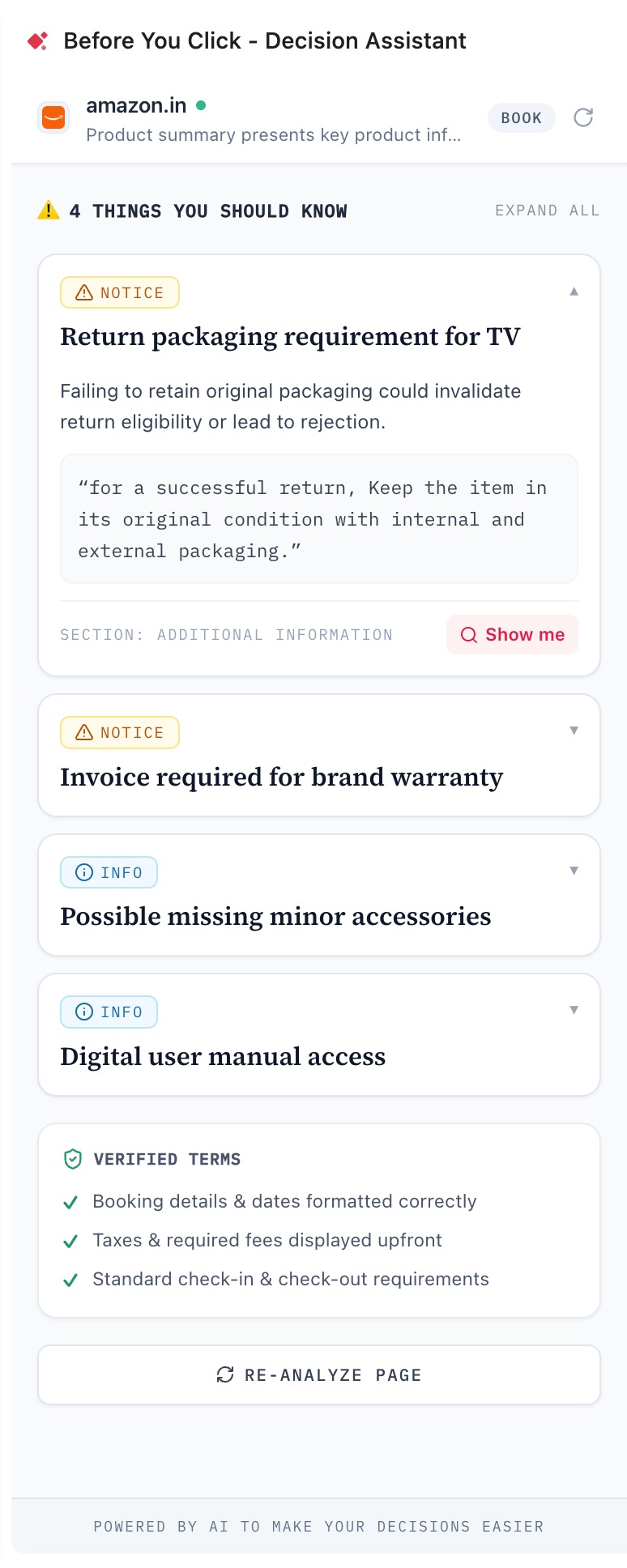
✦ What usually goes unnoticed
Critical
Cancellation cutoffs
Free cancellation that quietly ends on a date buried three scrolls down the policy section.
Critical
Fees added at the end
Resort fees, handling charges and taxes that only appear on the final payment step.
Notice
Trials that convert
Seven free days, then an annual charge on a card you added for a one-off test.
Info
Terms you agreed to
Binding arbitration, class-action waivers and content licences inside a checkbox.
✦ How it works
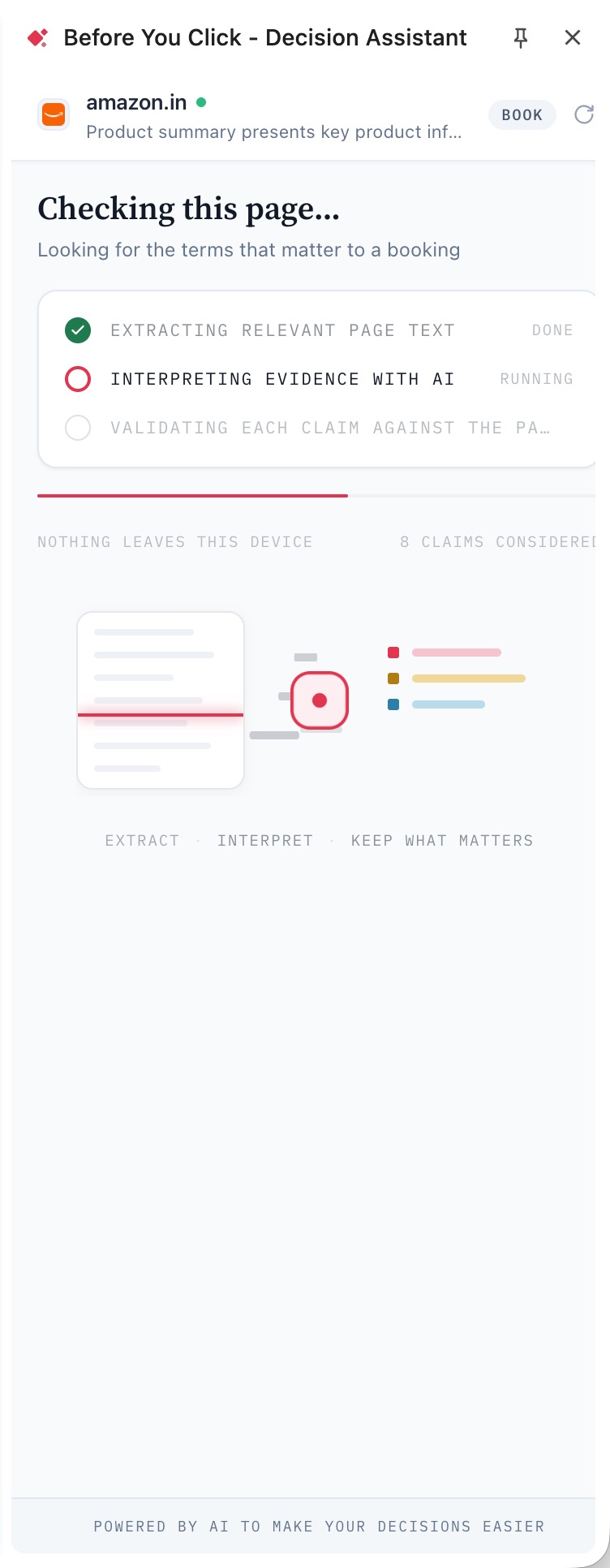
Step one · it reads the page
Every term on the page, checked before you commit
It detects what you're about to do — buy, book, subscribe or agree — then extracts only the visible text that bears on that decision. Prices, policies, deadlines, exclusions. Nothing else is read and nothing is stored.
ExtractInterpretKeep what matters
Step two · the things you should know
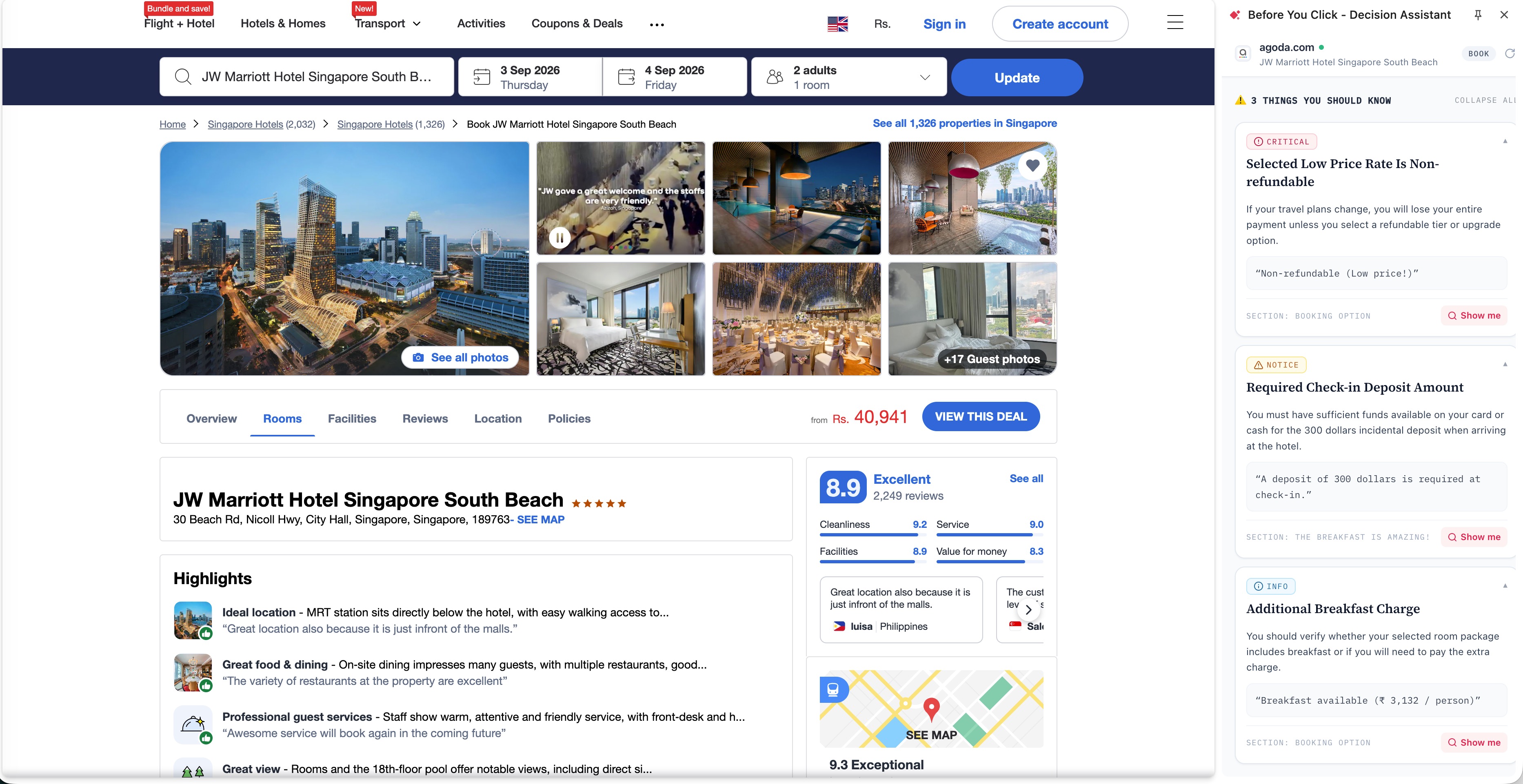
The fine print, quoted back to you
Three to five findings, ranked by how much they can cost you. Each one gets a plain sentence on why it matters and the seller's own words underneath. If a claim can't be matched word for word to the page, it never reaches you.
Critical
Notice
Info
Step three · side by side with the page
It stays open while you decide
The panel docks beside the site you're on. Hit Show me and the exact line highlights on the page itself.
✦ Four decisions it covers
Buy
Product pages, carts, checkout
Non-returnable items, restocking percentages, shipping surcharges, warranty exclusions, third-party sellers, add-ons that recur.
Book
Hotels, flights, car rentals
Exact cancellation deadlines, non-refundable deposits, mandatory resort fees, check-in restrictions, what breakfast and WiFi actually cost.
Subscribe
Trials, plans, pricing pages
Trial length, the price it renews at, monthly versus annual billing, lock-in periods, usage limits, how hard cancelling is.
Agree
Terms, privacy policies, sign-ups
Binding arbitration, class-action waivers, perpetual content licences, data sold to third parties, terms they can change alone.
✦ Why you can trust what it says
A missing finding is better than a false one
Summarisers invent numbers. This doesn't. Every finding must match the page word for word after normalisation, or it is dropped before you ever see it. And it never tells you what to do — it states the fact and leaves the decision with you.
"Cancellations made after Sep 3 forfeit 100% of the deposit."
Verified on page · quoted verbatim
Nothing is kept
Page text is processed in memory and discarded with the response. No history, no database, no profile of what you looked at.
Only when you open it
There is no background scanning. The extension reads a page when you ask it to, on the tab you're looking at, and stops.
Analysis runs in the cloud
The relevant text chunks are sent to a hosted model for analysis. Scripts, cookies, logins and the rest of the page are stripped locally first, and the panel says so while it works.
You can check every claim
Show me highlights the source line on the page. The claim of verification and the means to check it always travel together.
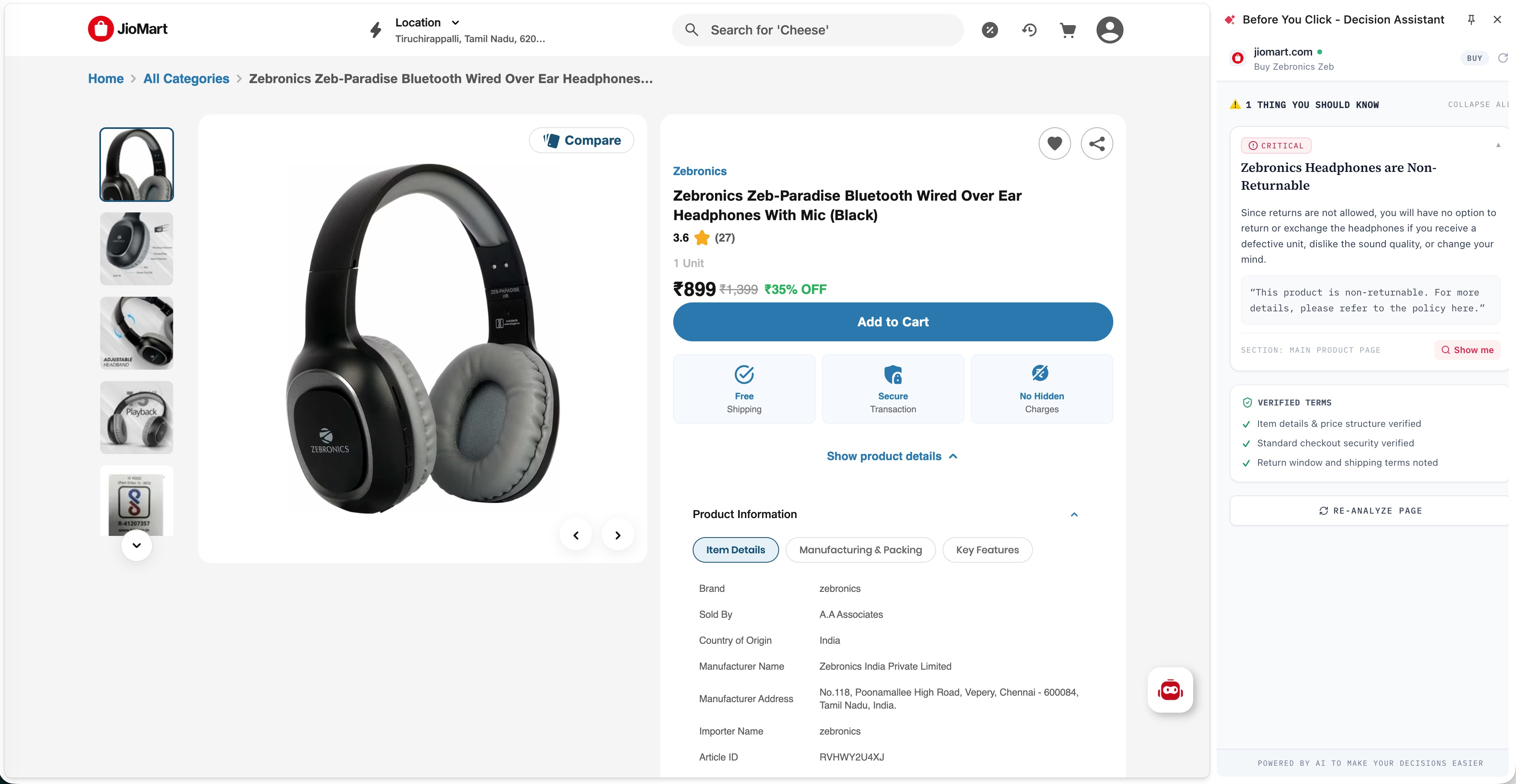
Buying · side by side with the page
One line can decide the purchase
Non-returnable items, warranty conditions, packaging rules. Found on the product page before you add to cart.
✦ Questions people ask
Does it work on every site?
Anywhere with a normal web page. Internal browser pages can't be read, and the panel tells you so instead of failing quietly.
Will it slow my browsing down?
No. It does nothing until you open it, then reads at most 25 relevant blocks of text — usually a couple of seconds.
Why only three to five findings?
Because a list of twenty is a list you skip. Findings are ranked by financial impact, commitment and how hard the decision is to reverse, and only the top ones are shown.
Does it tell me what to buy?
Never. No scores, no recommendations, no affiliate links. It states what the page says and stops there.

Know what you're agreeing to, before you agree to it
Free, no account, no sign-up. Install it and it waits until the next time you're about to commit to something.
Add to Chrome
Chrome · Manifest V3